Working With Drafts
Where to start on your first Draft
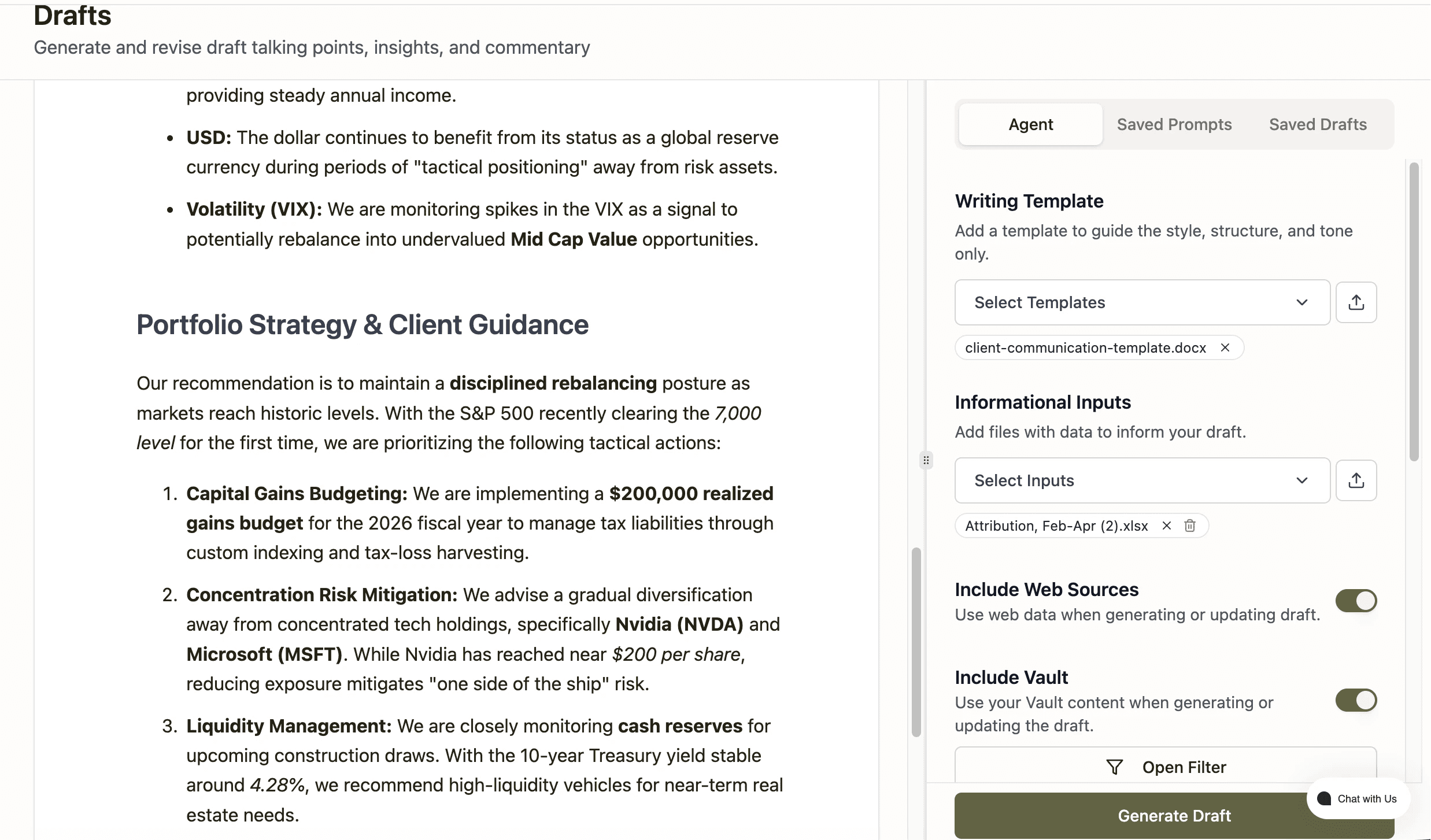
Pick a Writing Template (pin 1) if you want a consistent structure, or skip it for a blank draft
Type what you want written into the Prompt field (pin 4) and click <strong>Generate Draft
Highlight any text in the canvas and use the edit toolbar (pin 6) to adjust grammar, tone, or length
What you can skip for now
Research (pin 2) and the Web Sources toggle (pin 3) are useful for current-data drafts but not required for your first attempt — your Vault alone is often enough.
 123456
Click any numbered pin on the screenshot — or any card below — to explore that feature
Writing Template
Start herePick a saved template to guide the style, structure, and tone of your draft only — it shapes the format, not the substance. Upload a new template with the icon next to the dropdown or go to Vault + Add Content Writing Templates to add writing templates to your Vault.
Research
Add files with research that you want to inform specific drafts - performance, attribution, market research, and AI meeting notes for example. Upload files with the icon next to the dropdown or go to Vault + Add Content Research to add research, meeting notes, and client files to your Vault.
Web Sources & Vault
Include Web Sources pulls in live web data when generating or updating a draft. Include Vault draws on your firm’s uploaded Vault content. Toggle either on or off depending on the draft.
Prompt & Generate Draft
Describe what you want drafted in the Prompt box or select from the pre-built prompts, then click Generate Draft.
Draft Canvas
Your draft appears here as editable text. Click in to type directly, or generate content first with the prompt bar and refine or iterate by using the edit toolbar or prompt box again. When using the Microsoft Word Plug-in, Word is the canvas for drafting.
Edit Toolbar
Once a draft is generated, select any text and use Grammar, Longer, Shorter, or Tone to revise it in place. You can also iterate a draft by re-using the prompt