Introducing The Orrigo Web Agent
New to Orrigo? Our Getting Started Guides walk you through everything you need to know to hit the ground running and start winning more RFPs and DDQs faster with compliance top of mind.
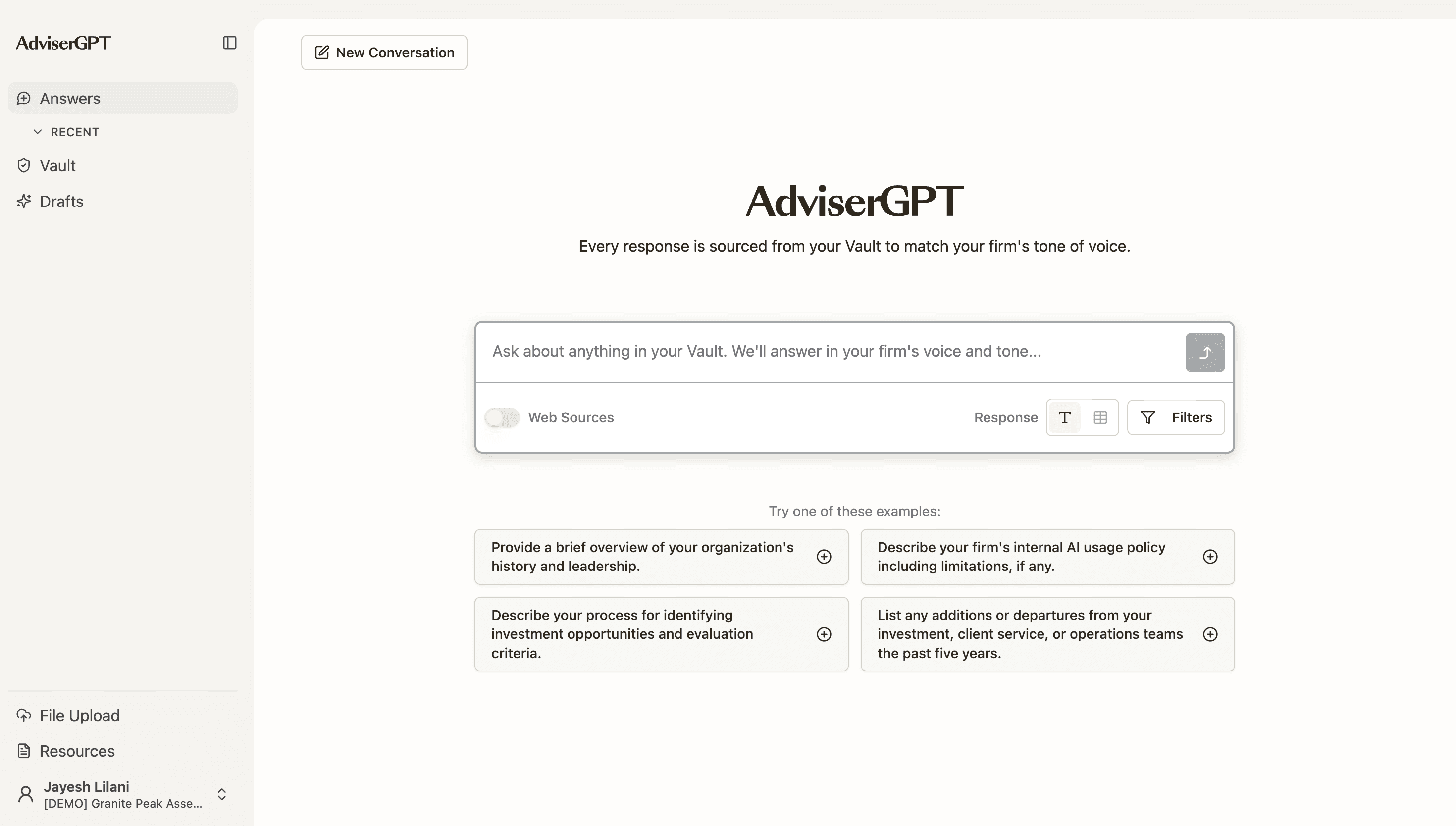
Anatomy of the Orrigo Dashboard
A quick map of the system so you know where everything lives before you start
1
2
3
4
5
6
7
Click on any numbered pin—or any card below—to explore the corresponding features highlighted above.
Where to start on your first login:
Click an Example Prompt to load a real RFP question and see your Vault respond.
Ask your own RFP question into the Answer Prompt to test your own uploaded content.
Check the Trust Score on the response—a score above 90% means your response is high trust, above 80% is good, and above 75% is acceptable.